Tutorial

Registration Step

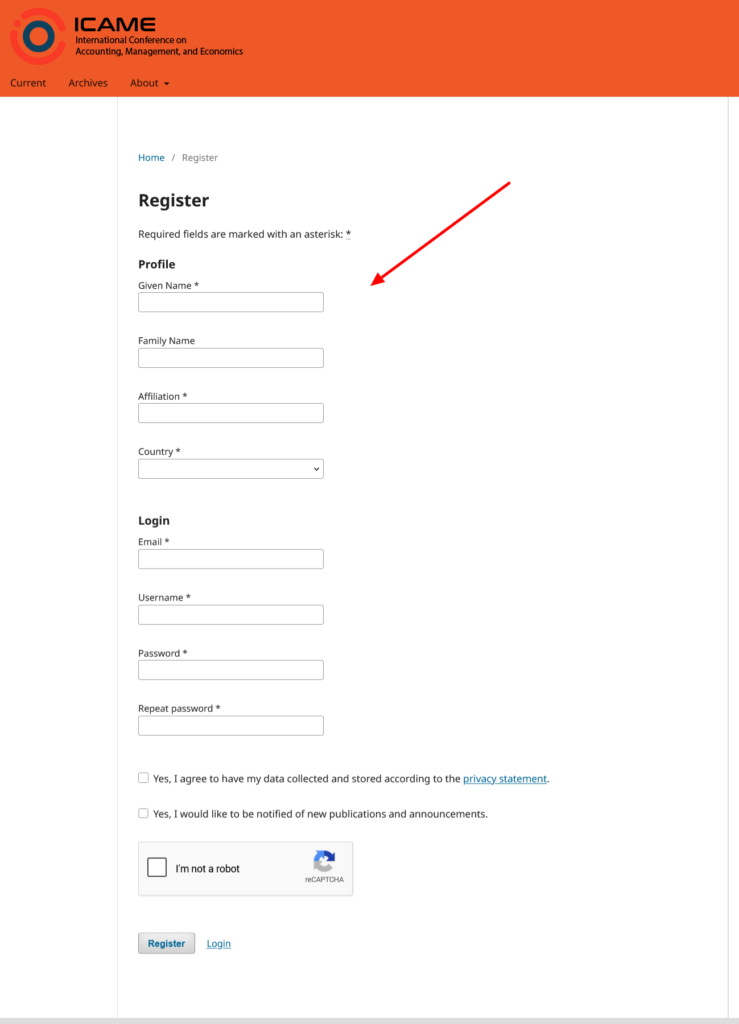
01. Form Registration

Please fill out the registration form to submit a paper at the following link Journal ICAME

02. Proceed to Payment

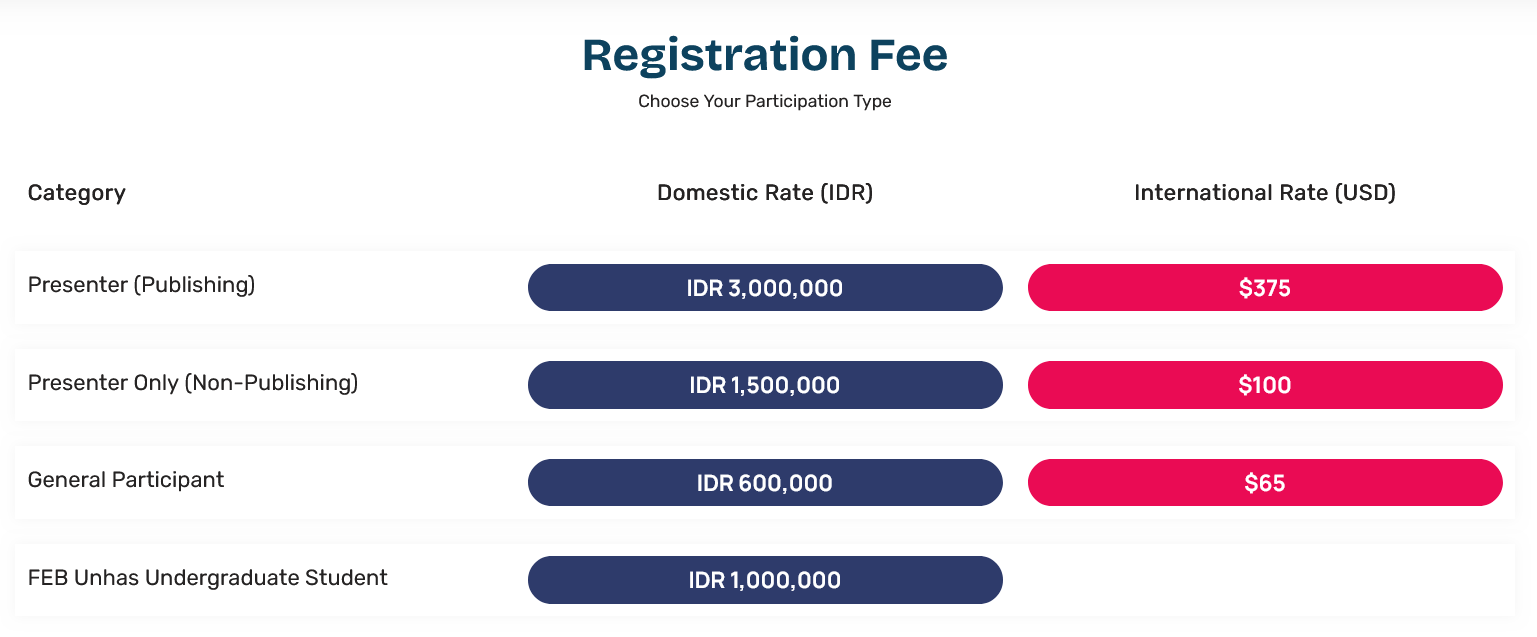
Back to this website, then complete your payment based on your paticipation type. Go to homepage https://icame.events.unhas.ac.id/ then choose your Participant Type.

1. Choose your participant type

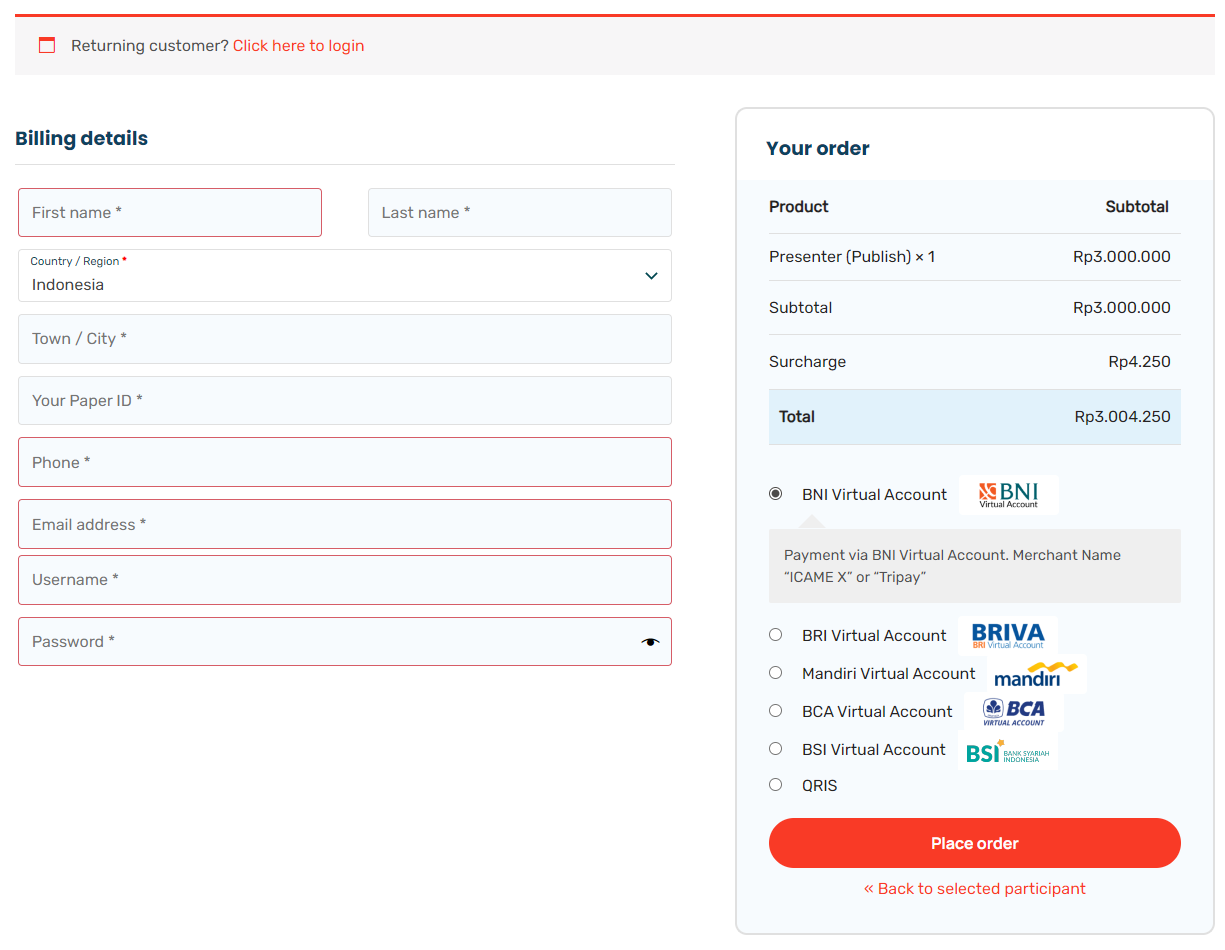
2. Proceed to billing

3. Fill the details. select payment method, then place order

Please note that after registering on the ICAME Journal website, you are also required to create a separate account on this ICAME website, as these are two different platforms.

During the checkout process, you will be asked to create a username and password, which will later be used to log in to your account dashboard.

03. Registration Complete

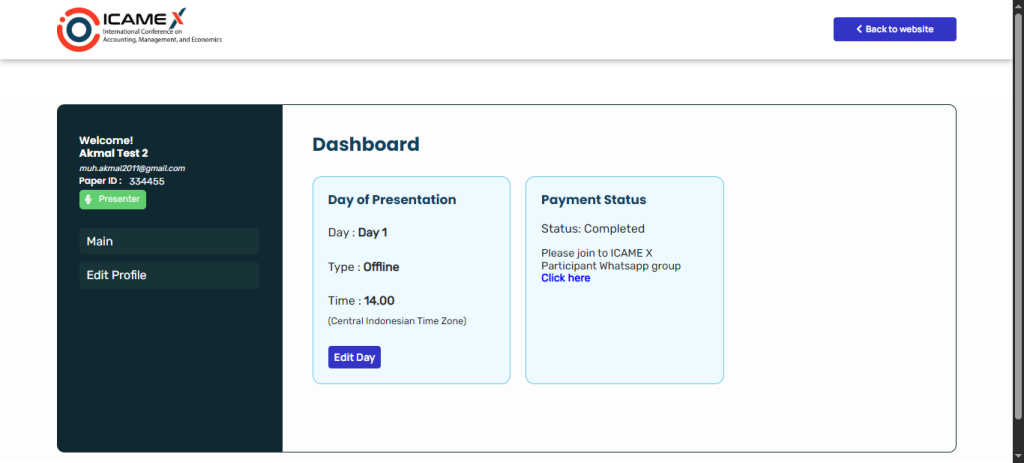
After you pay the registration fee, the registration process is complete. You can then log in to your account dashboard through https://icame.events.unhas.ac.id/login/ .

In the dashboard, you will be able to select your presentation schedule, check your registration status, and access the link to join the official WhatsApp group for participants.
Key Features

Lorem ipsum dolor sit amet consectetur adipiscing elit Ut et massa mi. Aliquam in hendrerit urna. Pellentesque sit amet sapien fringilla, mattis ligula consectetur.

Easy to use

Sed ut perspiciatis unde omnis iste natus error sit voluptatem

Scalable

Lorem ipsum dolor sit amet consectetur adipiscing

Secure

At vero eos et accusamus et iusto odio dignissimos ducim